
Turning assessment data into progress.
EduTrace replaces disconnected departmental spreadsheets with one clear picture of how your students are doing, why, and where to step in next.
Not just somewhere to store results
A spreadsheet tells you what happened. EduTrace helps you decide what to do next.
One home for departmental data
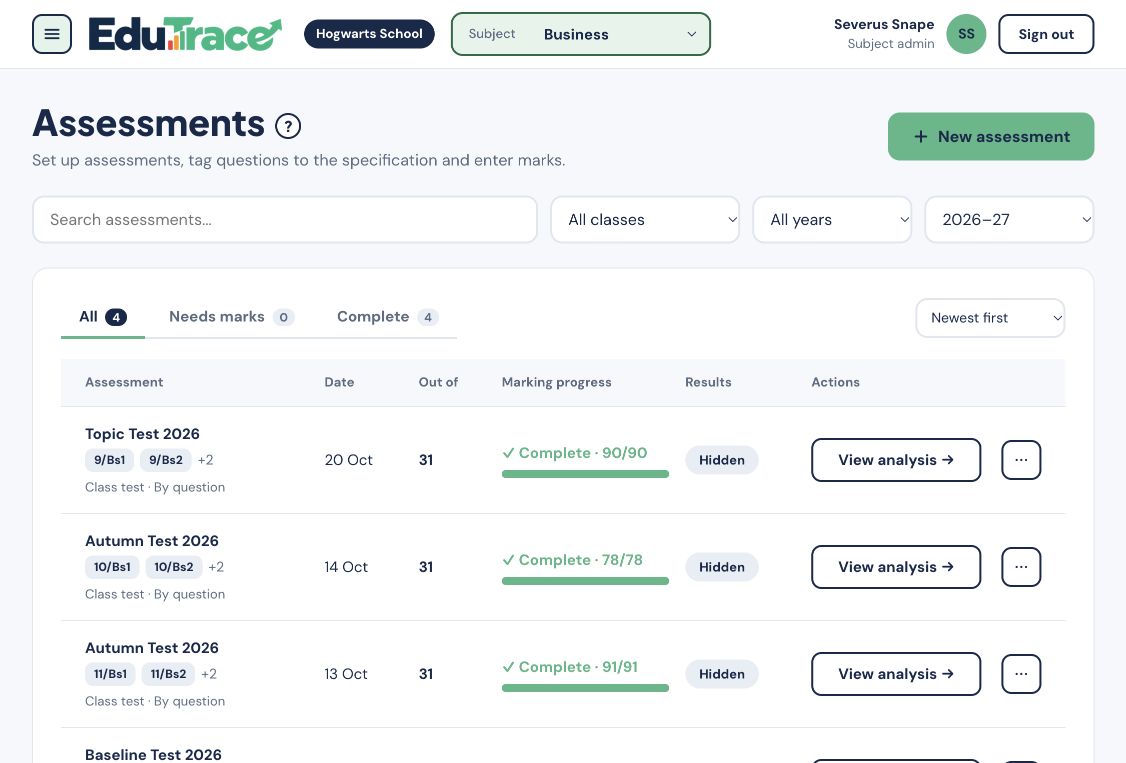
Replace scattered Excel files with a structured, accessible system for recording and monitoring student performance.
Analysis that does itself
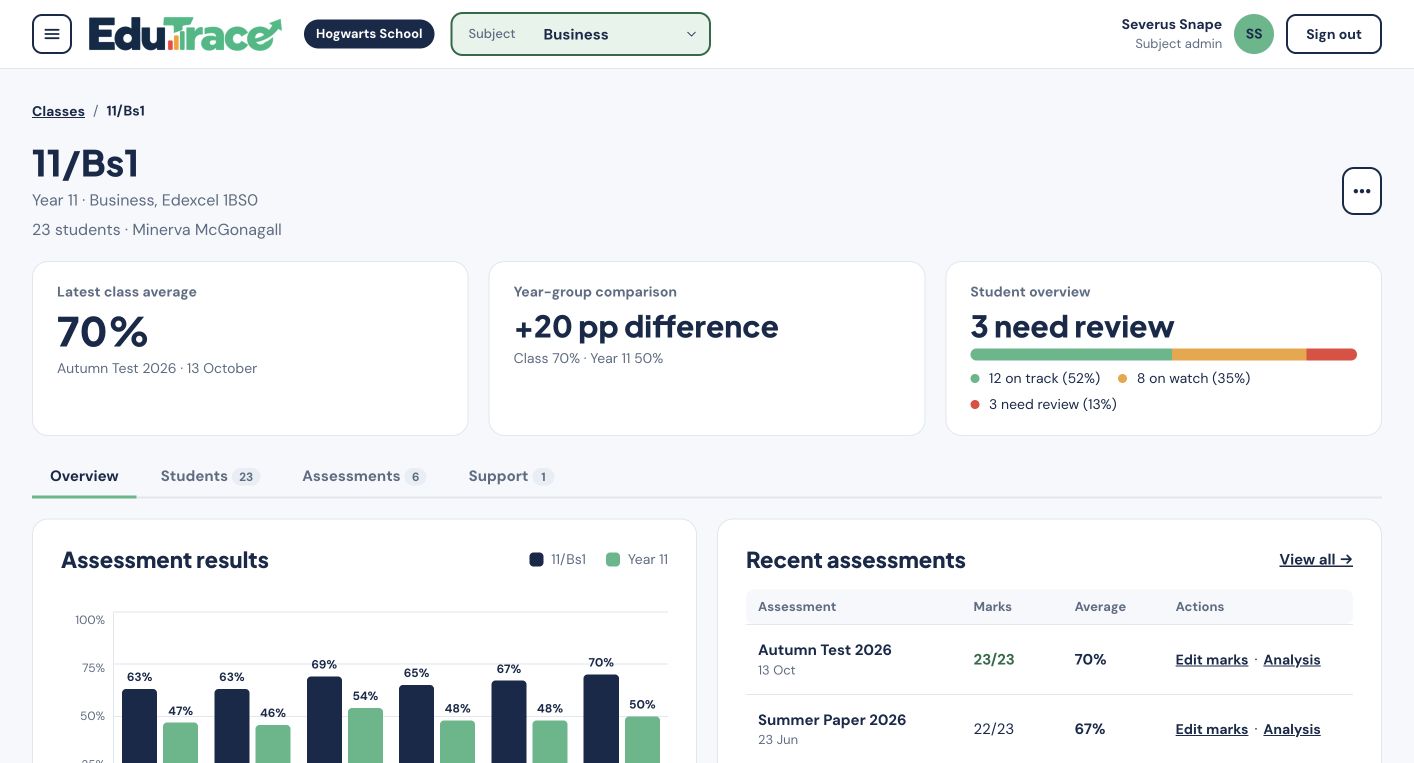
Assessment results, progress, attainment gaps and trends are calculated for you. No more formula wrangling.
The right view for each role
Teachers, heads of department and leaders each see what matters to them, all drawn from the same underlying data.
Intervention you can act on
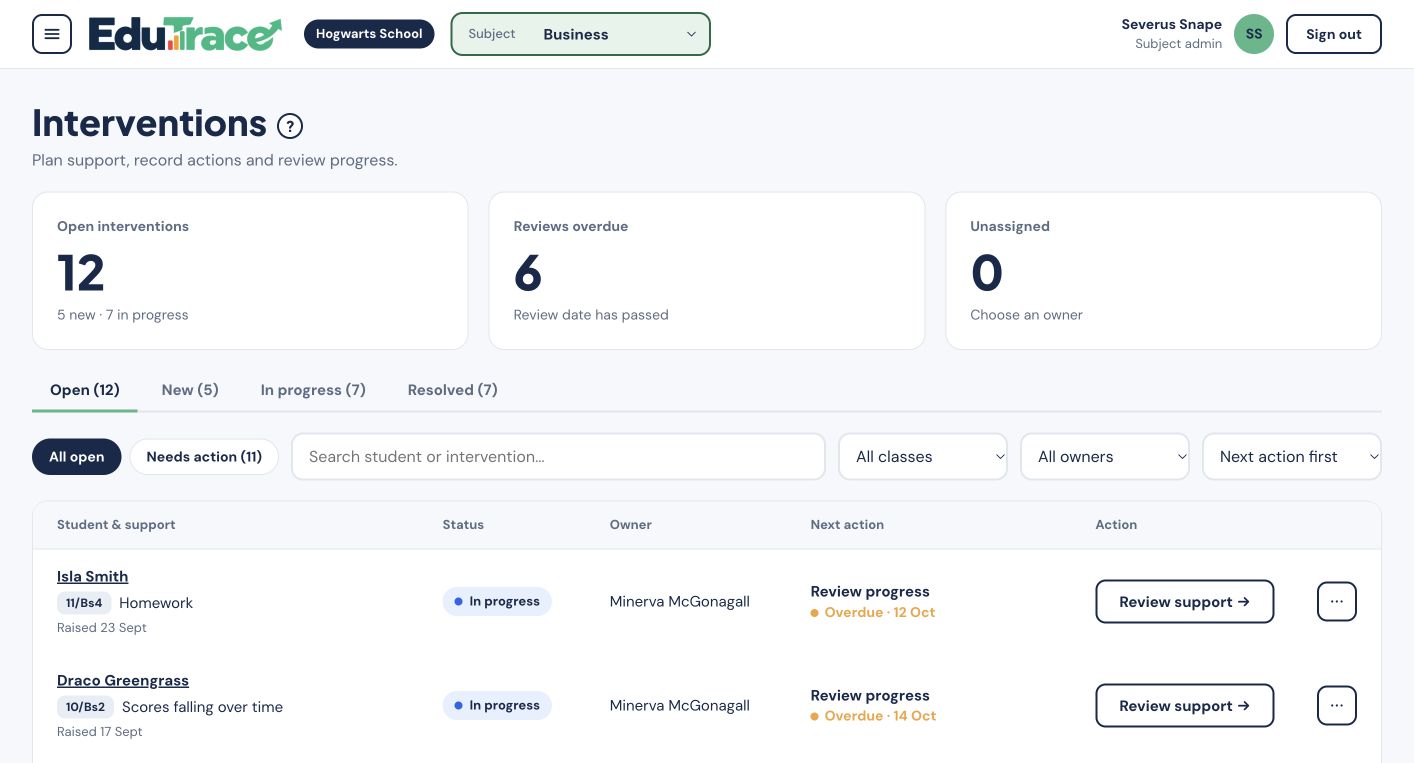
Spot students who may be underperforming and decide where support is most needed, before a gap becomes a grade.
From specification to next steps
Connect the questions you assess to the topics you teach, then use the results to decide what comes next.
Set up your assessment
Record questions, marks and command words, and assign the assessment to your classes.
Align it to the specification
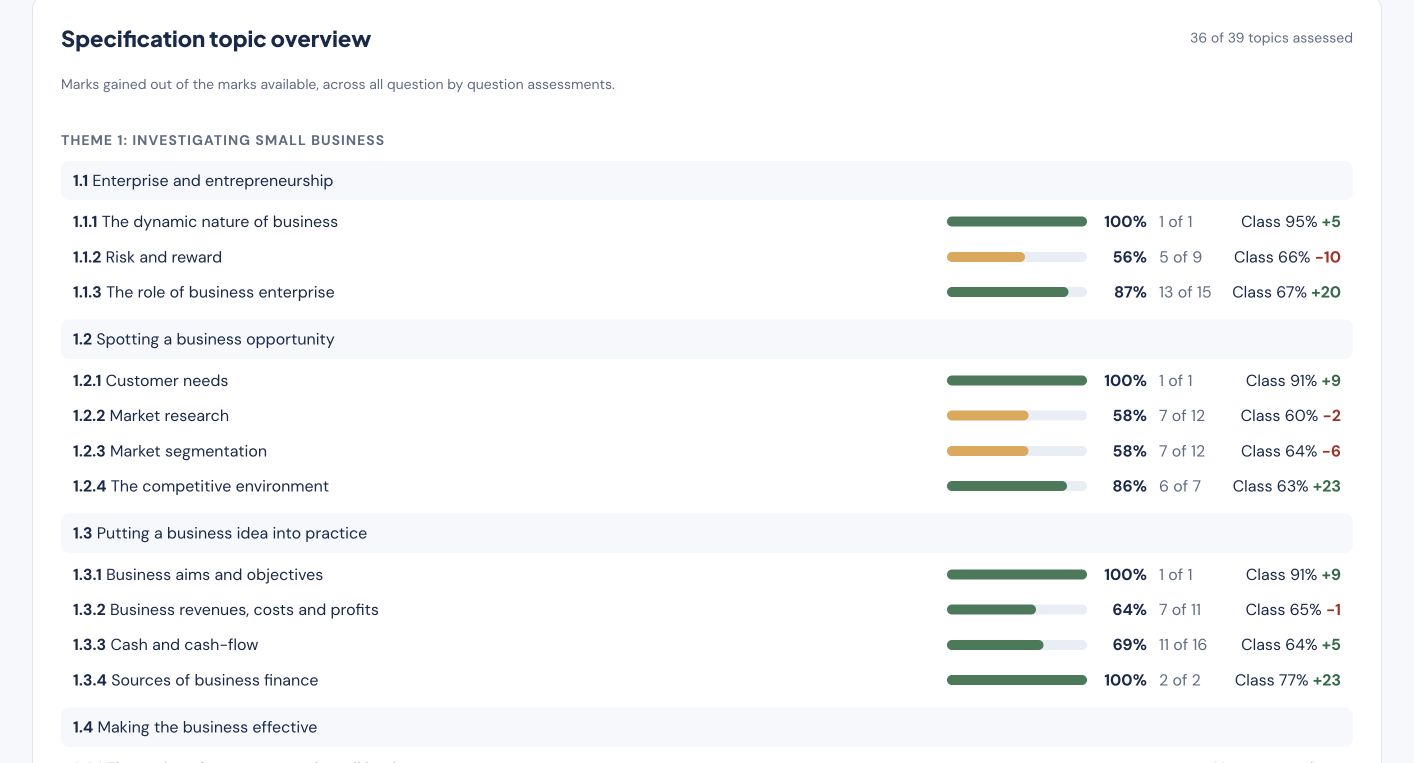
Link each question to a specification topic so results connect to the content being assessed.
Find the gaps
Explore results by question, topic and command word. See who needs a closer look and which topics have been assessed.
Plan the follow-up
Use the evidence to set recap homework, arrange a follow-up assessment or raise an intervention.
Spreadsheet vs EduTrace
From recording marks to planning support, see what changes when your subject data works together.
Clear evidence. Practical next steps.
From the next lesson to the next department review, give every teacher the evidence they need to act.
Class teachers
- Record marks and see working grades, targets and class trends together
- Find gaps by question and specification topic, with students to follow up
- Set homework for your classes and track submissions, scores and effort
- Raise interventions for students who need support, record actions and review progress
- Release assessment results to students and families when they are ready
Heads of department
- Compare classes, target gaps and student groups in one department view
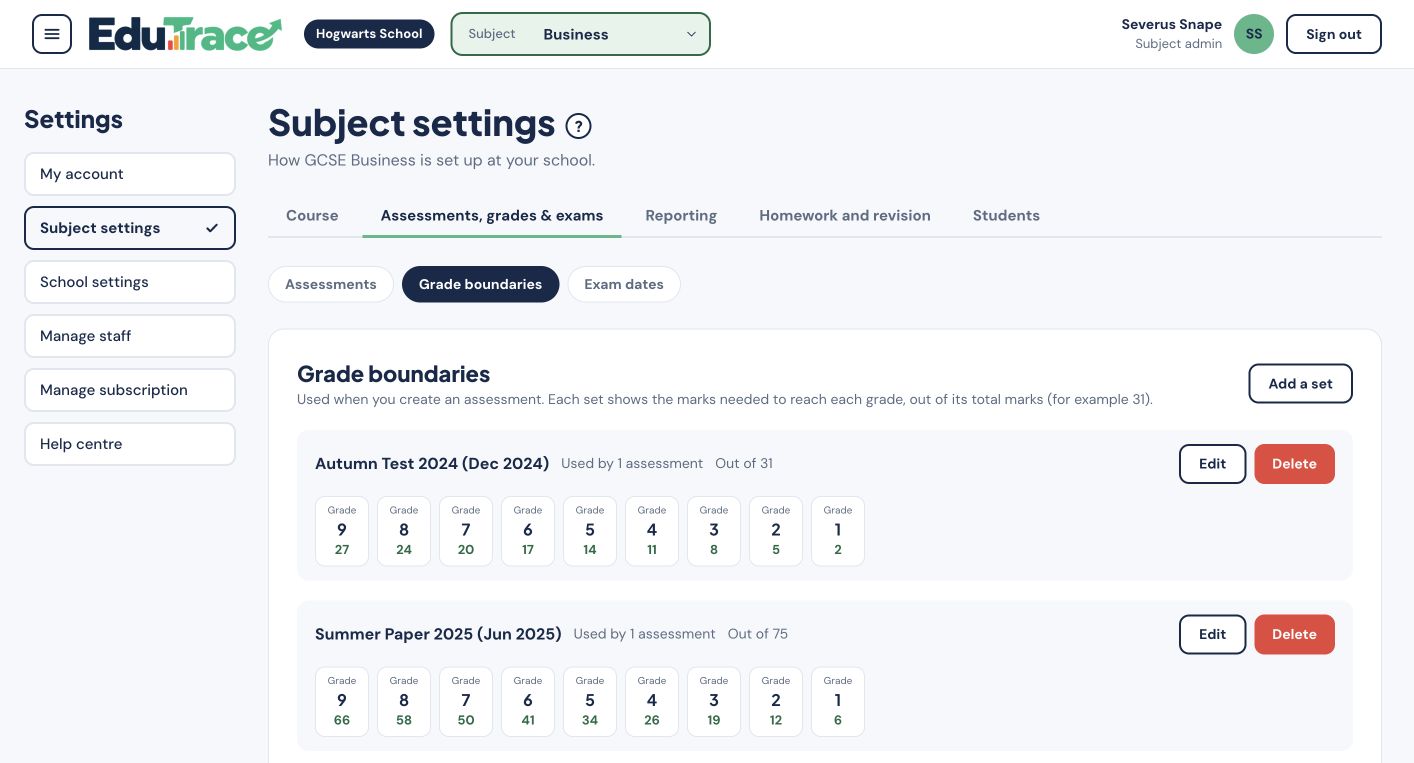
- Set shared assessments, link questions to the specification and manage grade boundaries
- Check missing marks and coordinate moderation across the team
- Oversee interventions across the department, follow up overdue reviews and record agreed actions
- Explore projected outcome scenarios and compare final GCSE results across years
Supported subjects
Built subject by subject and specification by specification, with papers and grade boundaries loaded for you.
Business
- Qualification
- GCSE
- Exam boards
- Edexcel, OCR, AQA
- Specifications
- 1BS0, J204, 8132
Computer Science
- Qualification
- GCSE
- Exam boards
- OCR, Edexcel, AQA
- Specifications
- J277, 1CP2, 8525
Maths
- Qualification
- GCSE
- Exam board
- Edexcel
Science
- Qualification
- GCSE
- Exam board
- AQA
Computer Science
- Qualification
- A-level
- Exam board
- OCR
Need another subject?
We add subjects and exam boards in stages. Tell us what your department teaches and we'll take it into account.
Get in touchStudent data deserves proper care
Security and separation are designed in from the start.
Schools fully isolated
Each school's data is completely separate from every other school's.
Multi-factor sign-in
MFA protects staff accounts, including teachers.
No peeking from us
EduTrace administrators can manage school accounts but cannot see a school's student data.
Try EduTrace free for 30 days
No commitment. Tell us about your department and we'll set up a free 30-day trial so you can explore everything EduTrace has to offer.